
Anúncios
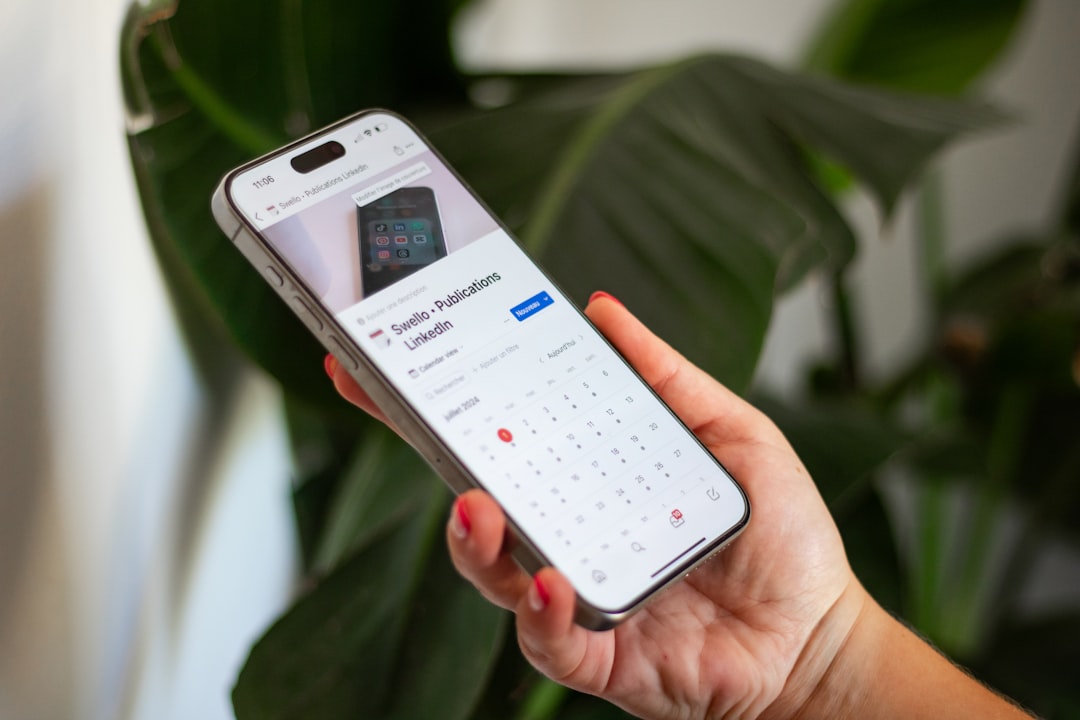
Managing your FGTS (Fundo de Garantia do Tempo de Serviço) has never been easier thanks to dedicated mobile applications that put your information at your fingertips.
The FGTS represents a significant portion of Brazilian workers’ financial security, acting as a safety net for various life situations.
Anúncios
Whether you’re planning to buy your first home, facing unemployment, or simply want to track your balance, having quick access to your FGTS information is essential.
Mobile applications designed for FGTS consultation have transformed how workers interact with their funds.
Anúncios
These digital tools eliminate the need for physical bank visits, long queues, and complicated bureaucracy, bringing transparency and control directly to your smartphone screen.
📱 Understanding FGTS Mobile Applications
The official FGTS application, developed by Caixa Econômica Federal, serves as the primary tool for workers to monitor their guarantee fund. This free application provides comprehensive access to your FGTS account, displaying current balances, transaction history, and withdrawal eligibility status.
The app connects directly to Caixa’s secure database, ensuring that all information displayed is accurate and up-to-date. Workers can view deposits made by their employers, calculate potential withdrawals, and receive notifications about important changes to their accounts.
Beyond the official app, several third-party applications have emerged to help workers calculate FGTS values, simulate withdrawals, and understand their rights. These complementary tools often provide calculators, educational content, and simplified interfaces that make complex FGTS rules easier to understand.
🔐 Security Features That Matter
Security stands as the top priority for any financial application. The official FGTS app employs multiple layers of protection, including biometric authentication (fingerprint and facial recognition), encrypted data transmission, and secure login protocols.
Users must authenticate their identity using their CPF (individual taxpayer registry) and create a password through the gov.br platform. This government-wide authentication system ensures that only the rightful account holder can access sensitive FGTS information.
The application does not store sensitive data locally on your device. Instead, it retrieves information in real-time from secure government servers, minimizing the risk of data breaches or unauthorized access if your phone is lost or stolen.
💰 Key Features of FGTS Calculation Apps
The primary function of FGTS applications revolves around providing clear visibility into your fund balance. The official app displays your complete FGTS history, broken down by employer and time period, showing exactly how much each company has contributed to your account over the years.
Workers can view their balance across multiple accounts if they’ve had different employers throughout their career. Each account is listed separately with its corresponding balance, making it easy to track your total FGTS wealth accumulated over time.
🧮 Advanced Calculation Tools
Modern FGTS apps include sophisticated calculators that help you understand your financial position. These tools allow you to:
- Calculate birthday withdrawal amounts – Determine how much you can withdraw through the annual birthday withdrawal program (saque-aniversário)
- Estimate home purchase values – See how much FGTS you can apply toward a property purchase or mortgage payment
- Project future balances – Calculate expected account growth based on your current salary and employer contributions
- Compare withdrawal options – Understand the differences between various withdrawal modalities and their financial implications
These calculation features transform abstract numbers into concrete financial planning tools. Rather than simply seeing a balance, workers can visualize how their FGTS fits into their larger financial goals, whether that’s homeownership, emergency funds, or retirement planning.
📊 Withdrawal Eligibility Checker
One of the most valuable features is the withdrawal eligibility verification tool. The app analyzes your account status and clearly indicates which withdrawal modalities you currently qualify for. This includes:
| Withdrawal Type | Eligibility Requirements | Amount Available |
|---|---|---|
| Birthday Withdrawal | Enrollment in saque-aniversário program | Percentage based on balance tier |
| Home Purchase | No property ownership + 3 years of employment | Full balance or portion for down payment |
| Retirement | Reached retirement age | Full balance from all accounts |
| Termination Without Cause | Involuntary job separation | Full balance plus 40% penalty paid by employer |
The app automatically updates your eligibility status as your circumstances change, ensuring you never miss an opportunity to access your funds when legally permitted.
📲 How to Download and Set Up Your FGTS App
Getting started with the FGTS application requires just a few straightforward steps. First, ensure your smartphone meets the minimum system requirements – the app works on Android 5.0 or higher and iOS 11.0 or newer versions.
Visit your device’s app store (Google Play for Android or App Store for iOS) and search for “FGTS” or “FGTS Trabalhador.” The official app is published by Caixa Econômica Federal, so verify the publisher name before downloading to ensure you’re installing the legitimate application.
🔑 Initial Registration Process
After installation, you’ll need to register through the gov.br platform if you haven’t already. This unified government login system serves multiple federal services beyond just FGTS. The registration requires your CPF, full name as registered with the Federal Revenue, and creation of a secure password.
The gov.br platform offers different account security levels (bronze, silver, and gold). For full FGTS access, including balance viewing and transaction history, you’ll need at least a silver-level account, which requires facial biometric validation through the app or in-person verification at authorized service points.
Once your gov.br account is active, open the FGTS app and log in using these credentials. The first access may take a few moments as the system retrieves your complete FGTS history from Caixa’s databases.

⚙️ Customizing Your Experience
After successful login, take time to configure the app settings according to your preferences. Enable biometric authentication to speed up future logins while maintaining security. Activate push notifications to receive alerts about new deposits, withdrawal opportunities, or important legislative changes affecting FGTS.
The app allows you to customize how balance information is displayed. Some workers prefer seeing separate accounts listed individually, while others want a consolidated total view. You can switch between these display modes in the settings menu.
🎯 Maximizing Benefits Through the App
The FGTS app serves as more than just a balance checker – it’s a comprehensive financial planning tool when used strategically. Understanding how to leverage its features can significantly impact your financial wellbeing.
Regular monitoring helps you catch employer contribution errors quickly. By checking your account monthly after payroll, you can identify if your employer has failed to make required deposits. Early detection makes correction easier and ensures you’re not losing money that rightfully belongs to you.
📅 The Birthday Withdrawal Program
The saque-aniversário (birthday withdrawal) program allows workers to withdraw a portion of their FGTS annually during their birth month. The app provides a detailed calculator showing exactly how much you can withdraw based on your current balance.
Before enrolling in this program through the app, carefully review the trade-offs. Birthday withdrawal participants receive smaller annual amounts but cannot access the full balance if terminated without cause (rescisão sem justa causa). The app includes educational materials explaining these implications clearly.
Workers who choose the birthday withdrawal option can schedule their annual withdrawal directly through the app, selecting whether to receive funds via bank transfer or digital payment account (Caixa Tem). The process takes just minutes and eliminates the need for branch visits.
🏠 Home Purchase Planning Tools
For workers dreaming of homeownership, the FGTS app provides powerful planning resources. The home purchase simulator shows how much of your FGTS balance can be applied to a property purchase, down payment, or mortgage amortization.
The app calculates your eligibility based on current regulations, considering factors like employment history length, property value limits, and geographic location. It also estimates how using FGTS for a home purchase will impact your remaining balance and future accumulation.
These tools help you make informed decisions about whether to use FGTS for real estate or preserve it for other purposes. The visual representations make complex financial trade-offs easier to understand, even for workers without extensive financial education.
🛡️ Common Issues and Troubleshooting
Despite its user-friendly design, some workers encounter challenges when using FGTS apps. Understanding common issues and their solutions saves time and frustration.
The most frequent problem involves login difficulties, typically stemming from gov.br account issues rather than the FGTS app itself. If you can’t log in, first verify your gov.br account status by visiting the gov.br website directly. Ensure your account has the required security level (silver or gold) for FGTS access.
🔄 Balance Display Problems
Occasionally, users report that their balance doesn’t appear or seems incorrect. This usually occurs when recent deposits haven’t yet been processed in the system. FGTS deposits made by employers typically appear in the app within 5-7 business days after the due date (day 7 of the following month).
If your balance appears lower than expected, verify the deposit date with your employer’s HR department. The app includes a detailed transaction history showing the date and amount of each deposit, making it easy to identify missing contributions.
For genuine discrepancies, the app provides a direct reporting mechanism. You can flag suspected errors, which generates a formal inquiry to Caixa Econômica Federal. The bank investigates and responds within the timeframe established by regulatory authorities.
📱 Technical Performance Tips
To ensure optimal app performance, keep your operating system and the FGTS app updated to the latest versions. Updates frequently include bug fixes, security enhancements, and new features that improve user experience.
If the app runs slowly or crashes, try clearing its cache through your device’s settings menu. This removes temporary files that may be causing conflicts. For persistent issues, uninstalling and reinstalling the app often resolves technical problems.
Stable internet connectivity is essential for app functionality since all data is retrieved in real-time from government servers. If you experience connection errors, check your WiFi or mobile data signal strength and try again.
📈 Understanding Your FGTS Statement
The detailed statement available through the app provides comprehensive information about your FGTS history. Learning to interpret this document helps you understand your financial position and verify employer compliance.
Each statement line shows the reference month (competência), deposit date, employer CNPJ (corporate taxpayer ID), and contribution amount. The reference month indicates which salary period the deposit covers – for example, a deposit with reference month “03/2024” covers March 2024 salary.
Employers must deposit 8% of your gross monthly salary into your FGTS account by the 7th of the following month. Self-employed workers and domestic employees may have different contribution rates and schedules, which are clearly indicated in the app.
💵 Interest and Corrections
Your FGTS balance grows through employer contributions and earns interest over time. The fund currently yields 3% annual interest plus TR (Taxa Referencial), a government-set benchmark rate. While not the highest-yielding investment, these earnings accumulate consistently and are automatically added to your balance.
The app displays total accumulated interest separately from employer contributions, allowing you to see how much your fund has grown through returns. This transparency helps workers understand the long-term value of their FGTS beyond just the monthly deposits.
During periods of economic change or policy updates, corrections may be applied to FGTS accounts. The app notifies users of such adjustments and displays them clearly in the transaction history with explanatory notes.
🌟 Alternative FGTS Calculation Tools
While the official Caixa app remains the authoritative source for FGTS information, several complementary tools can enhance your understanding and planning capabilities.
Independent FGTS calculators available through financial education websites help workers simulate various scenarios without logging into their accounts. These tools are particularly useful for preliminary planning before making formal decisions through the official app.
Financial planning apps increasingly integrate FGTS balance information into comprehensive wealth management dashboards. By connecting your gov.br credentials (with your permission), these platforms can display your FGTS alongside other assets, providing a complete financial picture.
📚 Educational Resources
The official FGTS app includes an extensive FAQ section and educational content library. These resources explain FGTS rules in plain language, covering topics from basic fund mechanics to complex withdrawal scenarios.
Video tutorials within the app guide users through common tasks like checking balances, requesting withdrawals, and interpreting statements. These visual guides are especially helpful for workers less comfortable with digital technology.
Regular updates about legislative changes appear in the app’s news section. Since FGTS rules occasionally change through new laws or regulations, staying informed ensures you don’t miss new opportunities or misunderstand your rights.
🔮 Future Developments in FGTS Apps
The digital transformation of FGTS access continues to evolve, with new features regularly added to enhance user experience. Recent updates have introduced instant balance notifications, improved biometric security, and enhanced calculation tools.
Planned developments include deeper integration with other government services, allowing workers to manage multiple benefits through a single unified platform. This integrated approach will reduce the need for separate apps for unemployment insurance, salary bonuses, and other labor rights.
Artificial intelligence features are being tested to provide personalized financial guidance based on individual FGTS balances and withdrawal eligibility. These tools aim to help workers make better-informed decisions about when and how to access their funds.
🌐 Expanded Access Channels
Beyond mobile apps, Caixa is expanding FGTS access through web portals optimized for desktop use. This multi-channel approach ensures workers can manage their funds regardless of device preference or availability.
Integration with digital banking platforms means workers may soon view FGTS balances directly within their primary banking apps, creating a seamless financial management experience without switching between multiple applications.
Voice-activated assistants and chatbots are being developed to answer common FGTS questions and guide users through processes without navigating complex menus. These accessibility improvements particularly benefit older workers or those with visual impairments.
✅ Making the Most of Your FGTS App
Successful FGTS management starts with regular engagement through the app. Setting a monthly reminder to check your balance ensures you stay informed about deposits and can quickly address any discrepancies.
Use the app’s calculation tools when making major financial decisions. Whether considering a job change, planning a home purchase, or evaluating withdrawal options, the simulators provide valuable insights that inform better choices.
Enable all security features the app offers, including biometric authentication and login notifications. These protections guard against unauthorized access while maintaining convenient, quick access for you as the legitimate account holder.
Stay engaged with educational content within the app. FGTS rules can be complex, and regulations change periodically. Regular learning ensures you understand your rights and maximize the benefits available to you.
The FGTS application represents a powerful tool for Brazilian workers to take control of their financial security. By providing transparent access to account information, sophisticated calculation tools, and streamlined withdrawal processes, these apps transform how workers interact with this important benefit. Taking time to download, set up, and regularly use your FGTS app pays dividends through better financial planning, timely error detection, and informed decision-making about when and how to access your funds. Your FGTS represents years of work and financial security – the app ensures you can monitor and maximize this valuable resource effectively.
